
Key Takeaways
Modern domestic robotics have transitioned from simple curiosities into sophisticated infrastructure for home maintenance, utilizing advanced sensor fusion and autonomy workflows. Understanding the hierarchy and maintenance requirements of these systems is essential for maximizing hardware longevity and operational reliability.
- Ecovacs offers diverse tiers ranging from essential vacuuming to complex multi-functional floor care.
- Precision navigation is enabled through laser-based mapping and onboard processing units.
- Firmware updates and sensor care represent the primary drivers of long-term machine health.
- Ecosystem integration allows for precise control of cleaning boundaries and frequency management.
- Systematic troubleshooting of connectivity and navigation errors resolves most common performance issues.
Understanding Ecovacs product lines
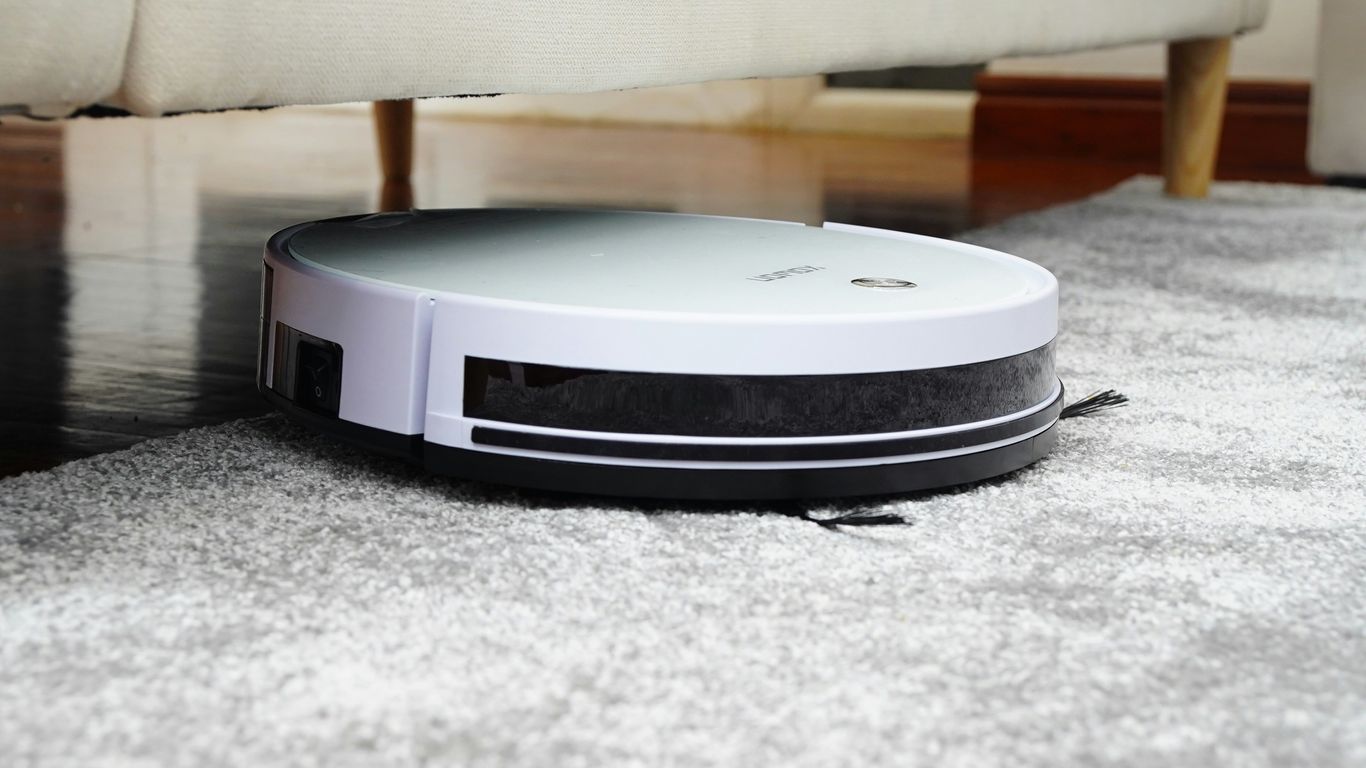
The landscape of residential floor cleaning evolved through rapid iteration of mechanical design and software intelligence. Manufacturers now segment their portfolios into distinct classes that accommodate varying spatial complexity and user requirements, mirroring the approach found in Ecovacs Robotics professional deployments.
Identifying entry-level models
Entry-level units focus on fundamental locomotion and basic suction performance. These robots utilize standard navigation sensors to cover floor space, prioritizing cost-efficiency for users in single-story environments with simple layouts.
Mid-range performance features
Mid-range units integrate advanced sensors to increase spatial awareness and cleaning precision. Such models often feature improved battery capacity and basic mapping, offering a bridge between entry-level simplicity and the autonomy found in Ecovacs robot vacuums.
Flagship vacuum and mopping solutions
Flagship units provide comprehensive automation, including advanced obstacle avoidance and high-performance mopping technology. These systems leverage sophisticated algorithms to handle complex floor plans, ensuring deep cleaning across various surfaces without frequent user intervention.
Key features of Ecovacs robotics technology
Sophisticated spatial reasoning within domestic robots relies on the synthesis of multiple sensor inputs. By processing laser data and visual imagery, these devices achieve a level of autonomy that changes how people manage their daily household tasks.
TrueMapping laser navigation
TrueMapping utilizes laser-based radar technology to create highly accurate floor plans. This allows the robot to calculate an efficient route, ensuring systematic coverage throughout an entire residence.
AIVI obstacle avoidance capabilities
Artificial Intelligence for Visual Interpretation, or AIVI, enables robots to identify and circumvent small objects. This hardware-software synergy significantly reduces the likelihood of entanglement with cables or accidental contact with floor-level clutter.
Auto-empty and self-cleaning stations
Automated stations address the most frequent user touchpoint: dustbin emptying and mop maintenance. These peripheral components extend the duration a robot operates without human assistance, representing a crucial development in Ecovacs cleaning automation.
Setting up and optimizing the Ecovacs HOME app

The software layer functions as the primary hub for administrative tasks and real-time pathing adjustments. Properly configuring this environment ensures the hardware executes its cleaning loops consistently and respects designated constraints.
Initial device pairing processes
Pairing relies on secure network integration between the local handheld device and the cleaning hardware. Ensuring a strong signal during the registration phase facilitates stable synchronization of map data and remote control permissions.
Managing multi-floor mapping and virtual boundaries
Advanced mapping allows users to define specific zones or restricted areas that the robot must avoid during its scheduled rounds. The management of these parameters is structured as follows:
| Setting Type | Purpose | User Frequency |
|---|---|---|
| Floor Mapping | Creates persistent site data | Once per level |
| Virtual Boundary | Defines no-go zones | As needed |
| Zone Cleaning | Targets high-traffic areas | Frequent |
When a floor layout remains static, the software maintains a persistent map that the robot utilizes for every cycle, preventing navigation drifts in large spaces. You can manage these settings to achieve precise cleaning performance across the home during daily operation.
Scheduling and remote cleaning configurations
Users may define cleaning intervals based on household occupancy and traffic patterns.
- Define frequency for specific rooms using variable suction intensity.
- Apply timing protocols that align with daily or weekly routines.
- Monitor real-time status through the ECOVACS HOME app interface to ensure completion.
Once schedules are locked in, the system initiates autonomously, allowing the hardware to perform its primary function without manual activation, which confirms why maintaining software connectivity is essential for the system to remain, as users often describe it, a "truly reliable partner" in modern home maintenance.
Consistent adherence to a cleaning schedule reduces the accumulation of debris and extends the hardware's functional lifespan significantly.
This operational discipline allows for long-term consistency in cleaning results without requiring unplanned manual interventions or mid-cycle resets.
Routine maintenance for hardware longevity

Mechanical integrity over long periods requires proactive attention to wearable parts. Consistent maintenance cycles prevent performance degradation and ensure the internal components, including brushes and filtration, function within their specifications.
Cleaning sensors and brushes
Sensors require occasional cleaning to maintain navigation accuracy, while brushes must stay free of hair and debris. Removing blockages from these areas maintains both suction power and the robot's ability to orient itself within the home.
Replacing dust bags and mopping pads
Replacing consumables at the manufacturer's suggested intervals restores optimal performance. Filtration components and mopping surfaces naturally wear down; switching these out prevents air-flow degradation and maintains sanitation standards.
Managing firmware updates
Firmware updates often include refined pathing algorithms and bug fixes that translate to better performance. Running these updates periodically ensures that the device benefits from the latest software advancements without additional cost.
Troubleshooting common issues
Navigational errors or connection interruptions occasionally occur within complex domestic wireless environments. Identifying the specific source of a failure—whether mechanical, software-related, or environmental—usually resolves the majority of these minor issues quickly.
Resolving connection drops from Wi-Fi
Connection drops often result from signal interference or router timeouts. Re-establishing the handshake between the robot and the local access point usually restores full telemetry and remote control functionality.
Clearing navigation errors and obstruction alerts
Obstruction alerts typically trigger when the hardware detects an object that it cannot traverse. Removing the physical barrier or recalibrating the internal map often resets the system to normal operating conditions.
Understanding status indicator lights
Status lights provide immediate feedback regarding the unit’s current operational state. Consulting the indicator map allows the user to distinguish between standard charging modes and states requiring immediate attention, such as network resets or component error codes.
Conclusion
Successful implementation of home robotics requires a balance between technological integration and routine physical oversight. By understanding the distinct performance characteristics of these systems and adhering to a structured maintenance regimen, you ensure that your robotic investment delivers consistent, reliable service for years to come.
Frequently Asked Questions
How often should a robot vacuum's filters be replaced?
Filters are typically replaced every few months depending on usage, though cleaning them by hand can extend their life between structural replacements.
Can a robot vacuum operate effectively in a home with multiple floors?
Most modern units support multiple floor maps, allowing them to adapt to different layouts once carried manually between levels.
Why does a robot vacuum occasionally get stuck on carpets?
High-pile carpets or steep transitions can sometimes trigger wheel-slip or tangle sensors, creating resistance that the unit perceives as an obstruction.
Does the layout of a room influence how well a robot cleans?
Yes, clear pathways and uncluttered floors allow for more efficient navigation and thorough coverage compared to rooms with heavy concentrations of small furniture.
Is it necessary to leave the charging station powered at all times?
Yes, the base station must remain powered to support the robot's charging cycles and to provide a consistent reference point for the navigation system.
Can a robot vacuum be used on wet surfaces?
No, standard vacuum robots are designed for dry debris and should not be used on wet floors unless they are specifically equipped with mopping hardware.
What happens if the robot discovers a new piece of furniture?
Sophisticated navigation systems will identify the object during the next cleaning cycle and map it as a permanent or semi-permanent obstruction to be avoided in future traversals.